How it works
Editors write the pages. Everyone else reads, searches and asks, and every answer shows which page it came from. Here’s the whole way from an empty knowledge base to an answer.
1. Your own address and database
When you sign up you get an address like company.wikiaio.eu and a database of your own. No tables are shared with other customers, and your files are encrypted with your own key. We host your pages, questions and answers securely in the EU.
More on where data lives: Sovereignty.
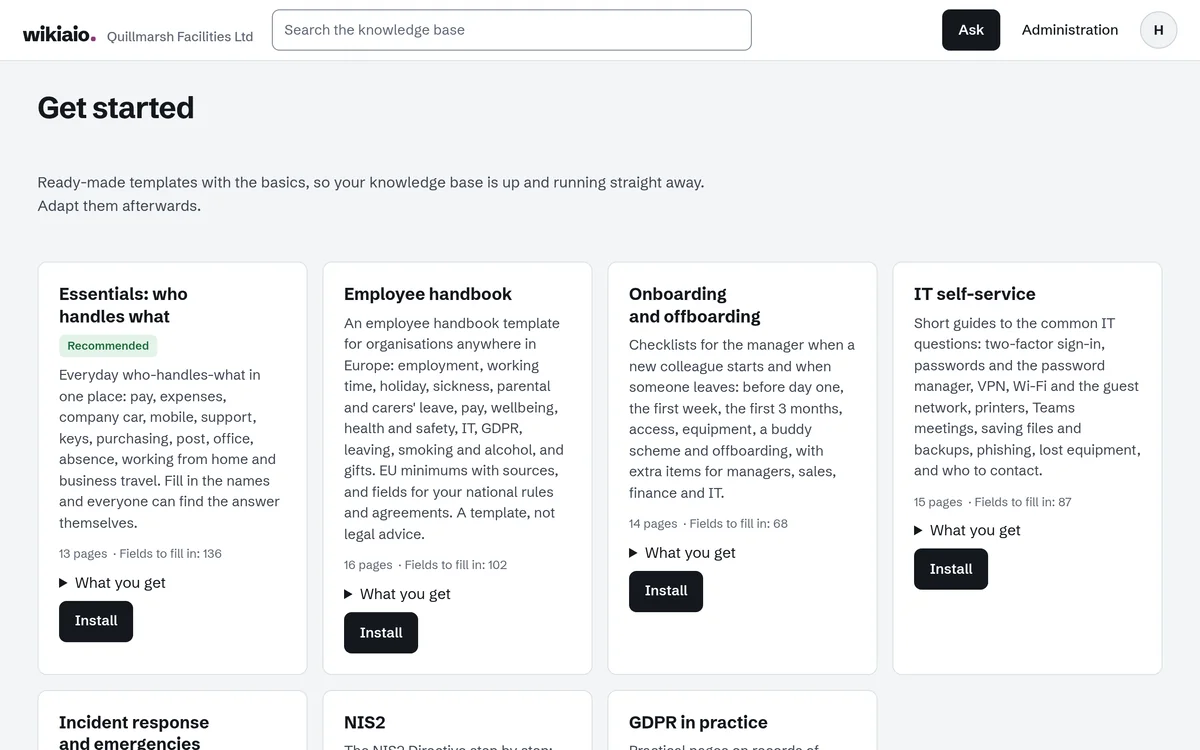
2. Start from templates, or bring your own pages
A template is a whole knowledge base with the pages already written. Yellow fields mark what only you know: names, numbers and your own rules. Until a field is filled in, wikiaio leaves it out of its answers.
The templates are in Danish today; the English versions are written and coming soon. If you already have pages, you can import files from Word, Markdown and HTML.
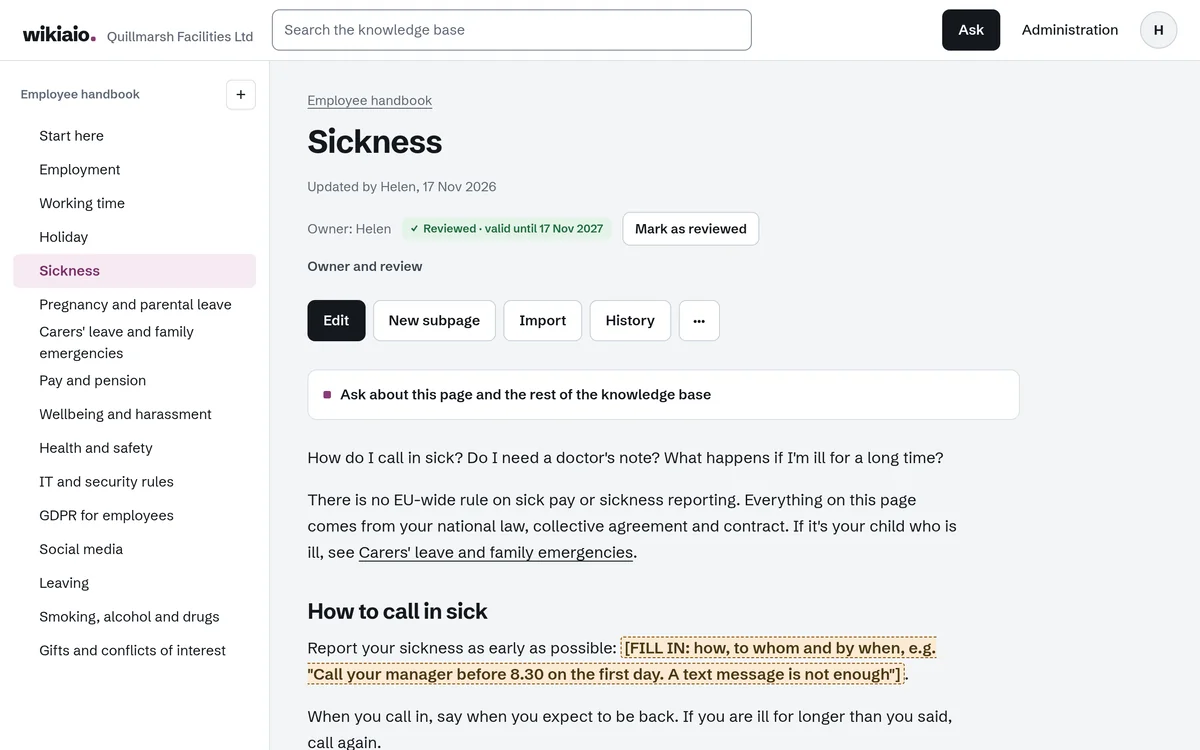
3. Roles and access
Owners, admins and editors write and edit. Readers read, search and ask. A knowledge base can be limited to one department or a few people.
An AI answer never uses a page the person asking can’t open themselves. We check that before the model sees anything at all.
- You pay for editors; readers are free within fair use
- History on every page, so you can see and restore older versions
- A page owner and a review date, so pages don’t quietly go stale
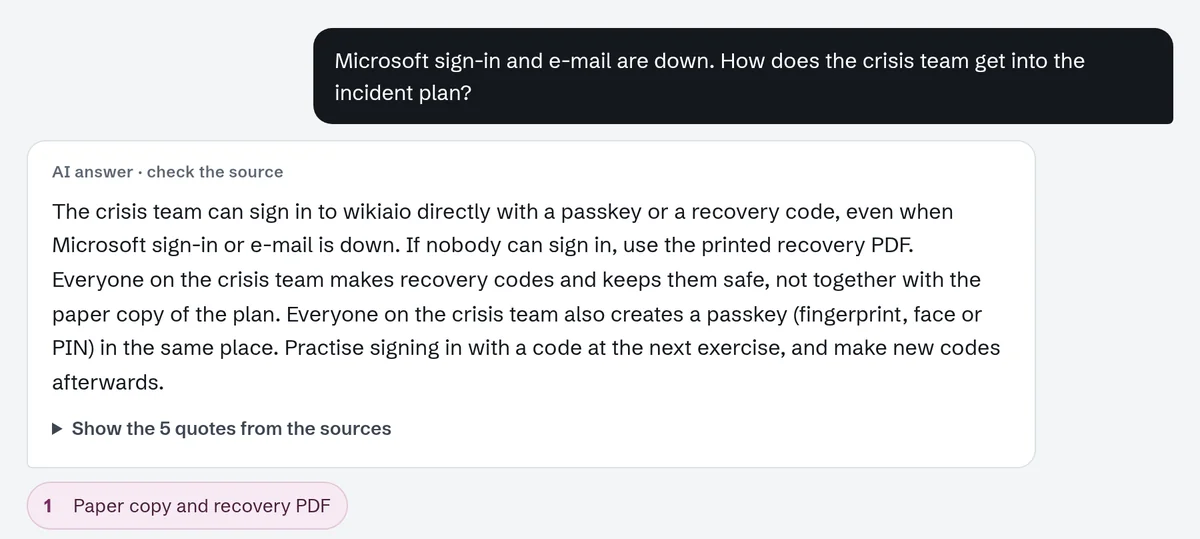
4. Ask, and see the source
People ask in their own words. wikiaio finds the relevant passages in the pages that person may read, and the answer shows which pages it’s based on.
Every statement in the answer has to appear word for word in one of the pages, and numbers, dates and names have to be in the source. Otherwise the statement isn’t shown. The answer is a summary; the page is what counts.
The language models are Mistral models running at Scaleway in the EU. Your content isn’t used to train models.

5. When the answer isn’t there
wikiaio says so instead of guessing, and suggests pages that might have it. Your editors see the question, without a name, so they know what’s missing.

6. In the browser and in Microsoft Teams
Works in Microsoft Teams, as an app and as a tab in a channel, and people sign in with their Microsoft account. Teams shows the pages but never stores them.
Without Teams, people sign in at your own address with an email link, a passkey or a recovery code. If Microsoft goes down, you still get in.
7. Your data, even if you leave
Owners and admins can export every page as Markdown and HTML in one zip file at any time, and for 30 days after cancelling.
Or see the demo first.